How To Decorate A Home Office For Productivity
A practical step-by-step guide to How to decorate a home office for productivity, including preparation, instructions, common issues, tips, and next steps.
How To Decorate A Home Office For Productivity
A productive home office depends less on expensive furniture and more on thoughtful choices about light, sound, movement, and visual order. This guide walks through a realistic setup process that you can adapt to almost any room, from a spare bedroom to a corner of a living space. You will learn how to assess your space, reduce common distractions, arrange your work zone, and build habits that keep the room useful over time.
Fast Answer
- Start by choosing a spot with natural light and a door you can close or a clear boundary you can set.
- Decorate with calm colors, clear surfaces, supportive seating, and one or two personal items that boost focus.
Before You Start
- Measure your available floor space and note where power outlets and windows are located before moving any furniture.
- Clear the room of items that belong elsewhere so you can see the true size and shape of your work area.
- Gather a notebook and pen to write down what you need daily, what distracts you, and what you want to improve.
- Decide on a realistic budget range for any new items and list them in priority order before you shop.
Step-by-Step Instructions
Audit the room for light and glare
Begin by sitting where you plan to work and looking at how light falls across the desk throughout the day. Morning sun can create harsh glare on a screen, while a dark corner may make you strain by mid-afternoon. Move your chair or desk slightly to find an angle where the window is to your side rather than directly in front of or behind you. If you cannot move furniture, plan to add a sheer curtain or a shade that softens direct sun without blocking all daylight. As a practical check, sit in the space at three different times of day and note when the light feels uncomfortable. This matters because consistent, comfortable light reduces eye strain and helps you stay alert without relying on extra lamps. Write down the times and positions that work so you can arrange the rest of the room around them.
Control sound and visual noise
Listen carefully to the room for a few minutes with the door closed or open, depending on your normal routine. Identify the main sources of noise, such as traffic, appliances, or people moving through nearby rooms. Then look for visual clutter that pulls your eyes away from work, including stacks of paper, tangled cords, or bright decorations that do not serve a purpose. Move noisy items away from your desk area or add a rug and soft furnishings to absorb some echo. For visual noise, use a tray or drawer to contain small items and keep only what you use daily on the surface. Check your progress by working for a short focused period and noticing how often you look away from your task. This check matters because reducing distractions is one of the fastest ways to improve concentration without changing your schedule.
Set up a supportive seating position
Place your chair so your feet rest flat on the floor and your knees form a comfortable right angle. Adjust the seat height until your thighs are roughly parallel to the ground and your lower back feels supported. If the chair lacks lumbar support, roll a small towel or cushion and place it at the curve of your lower back. Position the desk so your elbows rest near your sides and your forearms extend forward without reaching up or down. Your screen should sit at a height where your eyes look slightly downward toward the top third of the display. As a practical check, sit for ten minutes and notice any pressure points, tingling, or tension in your shoulders. This check matters because small discomforts grow into fatigue that makes long work sessions harder. Adjust one thing at a time and test again before moving on.
Choose a calm and focused color plan
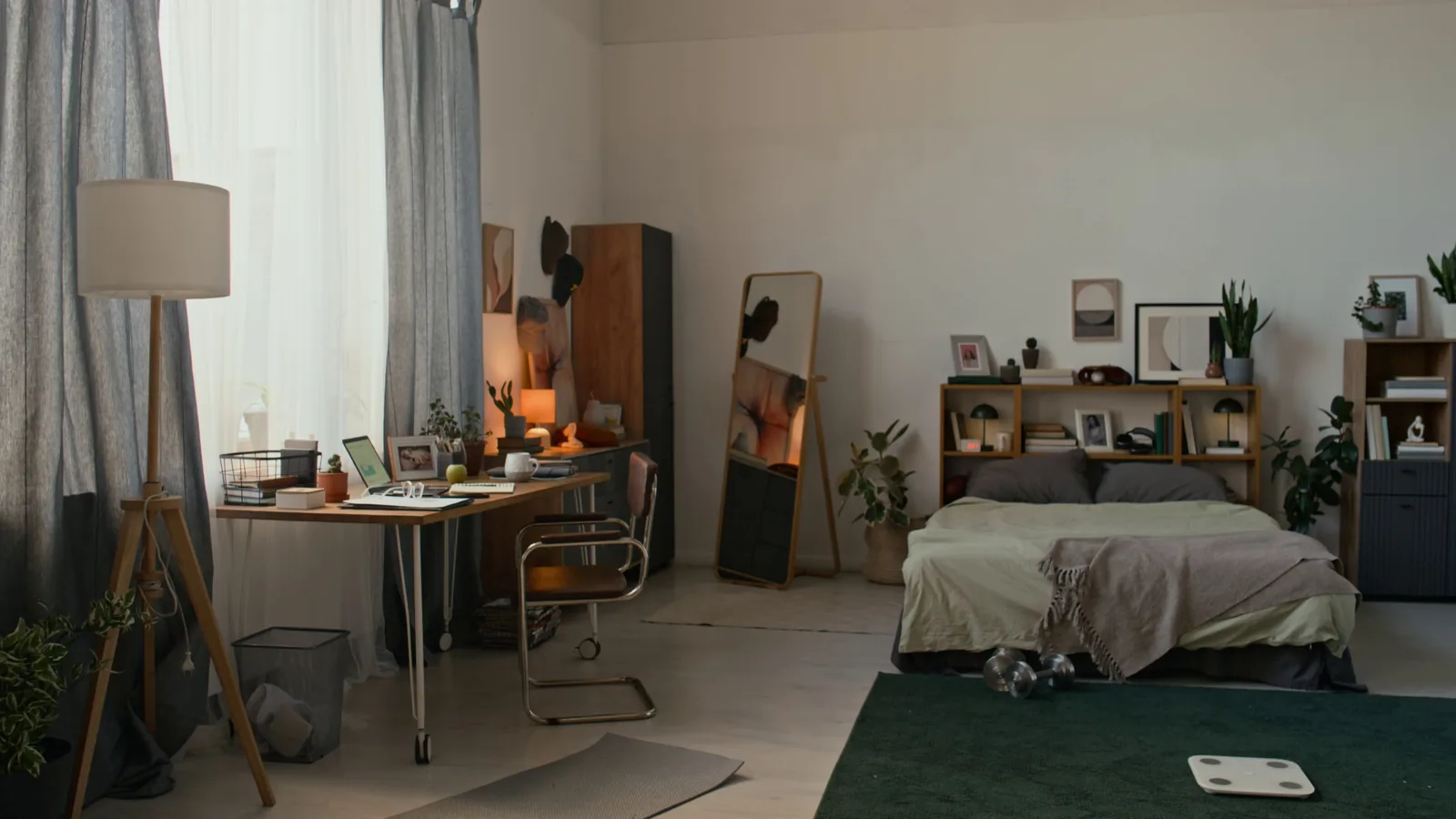
Select a base color for the walls or a large wall area that feels restful rather than energizing or harsh. Soft greens, warm grays, muted blues, and gentle off-whites tend to support concentration because they reduce visual tension. If you cannot paint, use a large piece of fabric, a tapestry, or a framed print to introduce the same calming tone. Add one or two accent colors through small items such as a pen cup, a cushion, or a plant pot, but avoid covering every surface with strong patterns. Check the result by stepping back to the doorway and looking at the room as a whole. If your eye jumps from one bright object to another, remove or relocate some of the busiest pieces. This check matters because a calm background helps your attention stay on the work in front of you rather than on the walls around you.
Arrange the desk for a natural work flow
Clear the desk completely and then place only the items you touch every day within easy reach. Put your primary work tool, such as a laptop or notebook, directly in front of your main seating position. Place writing tools and a notepad on your dominant side so you can grab them without crossing your body. Move less frequent items, like a stapler or reference books, to a drawer or a shelf behind you. Route cords along the back edge of the desk and secure them with clips so they do not tangle or pull loose. Check the layout by pretending to do a common task, such as writing a note or opening a document, and see whether your hand moves smoothly. This check matters because a natural flow reduces small interruptions that add up over a full workday. Rearrange until the most common actions feel effortless.
Add finishing touches for motivation
After the functional setup is complete, add a few items that make the room feel personal and encouraging. Choose one or two pieces of art, a plant, or a small object that reminds you of a goal or a pleasant memory. Place them where you can see them when you pause or look up, but not so close that they block your view of your work. Keep the overall surface uncluttered so these items stand out rather than blending into a crowd. If you use a noticeboard or a wall calendar, limit it to current projects and remove outdated papers. Check the effect by working for twenty minutes and noticing whether the room feels supportive or distracting. This check matters because motivation often comes from small environmental cues that remind you why the work is worth doing. Adjust or remove anything that pulls your attention away.
Quick Reference
| Situation | Action | Why it helps |
|---|---|---|
| You feel tired or strained after an hour of work. | Check your screen height and chair position, then adjust one element and sit for ten minutes to see if the discomfort fades. | Discomfort usually comes from a specific mismatch in height or distance, and testing one change at a time helps you find the cause. |
| You are distracted by noise from outside the room. | Move noisy items away from your desk, add a rug or soft furnishing, and consider a small sound machine or soft background music. | Soft surfaces absorb echo and steady background sound can mask sudden noises that break your concentration. |
| Your desk feels cluttered even after you tidy it. | Remove everything and return only the items you used in the last two workdays, then store the rest in a drawer or box. | Daily use is the best filter for what belongs on the surface, so this test keeps only the tools that truly support your work. |
Common Issues
- The room feels dark even during the day.: Move your desk closer to a window if possible, keep curtains open during work hours, and add a desk lamp that aims light at your work surface rather than into your eyes. If the window is small, place a mirror or a light-colored object opposite it to bounce some daylight around the room.
- You cannot stop checking your phone or other devices.: Place the device in a drawer or another room during focused work periods. If you need it for work, turn off non-essential notifications and set it face down on a far corner of the desk. Create a small tray for devices so they have a clear home and are less likely to be picked up out of habit.
- The chair becomes uncomfortable after a short time.: Add a cushion or rolled towel for lower back support, adjust the seat height so your feet rest flat, and check that your knees are level with or slightly below your hips. If the chair still causes pressure, try a different chair from another room or use a firm cushion to change the contact points.
Advanced Tips
- Use a timer to work in focused blocks and stand up during breaks to stretch and reset your posture.
- Keep a small notebook on the desk to write down distracting thoughts so you can return to them later instead of losing focus.
- Try changing the height or angle of your screen by a small amount every few weeks to avoid holding the same position for months.
Final Checklist
- Confirm that your feet rest flat and your lower back feels supported while seated.
- Check that light falls comfortably on your work area without glare on your screen.
- Make sure the desk surface holds only the items you use every day.
- Verify that noise and visual distractions have been reduced or moved away from your work zone.
FAQ
Do I need a dedicated room for a productive home office?
No, a dedicated room is helpful but not required. You can create a productive zone in a corner of a bedroom, living area, or shared space by using a clear boundary, such as a screen, a bookshelf, or a consistent desk position. The key is to make the area feel separate from rest and leisure so your mind associates it with focused work.
How often should I change my home office setup?
Review your setup every few months or whenever you notice new discomfort or distraction. Small adjustments to chair height, screen position, lighting, and surface clutter often solve problems before they become habits. If your work tasks change significantly, revisit the layout to make sure it still supports what you do most often.
What if I cannot paint the walls or make permanent changes?
Use temporary solutions such as removable wall coverings, large fabrics, framed prints, or a folding screen to change the look and feel of the space. Rugs, curtains, and soft furnishings can also reduce echo and add calm color without altering the room itself. Focus on the elements you can control, like desk arrangement, lighting, and storage, and make those as effective as possible.